Church lobby video walls
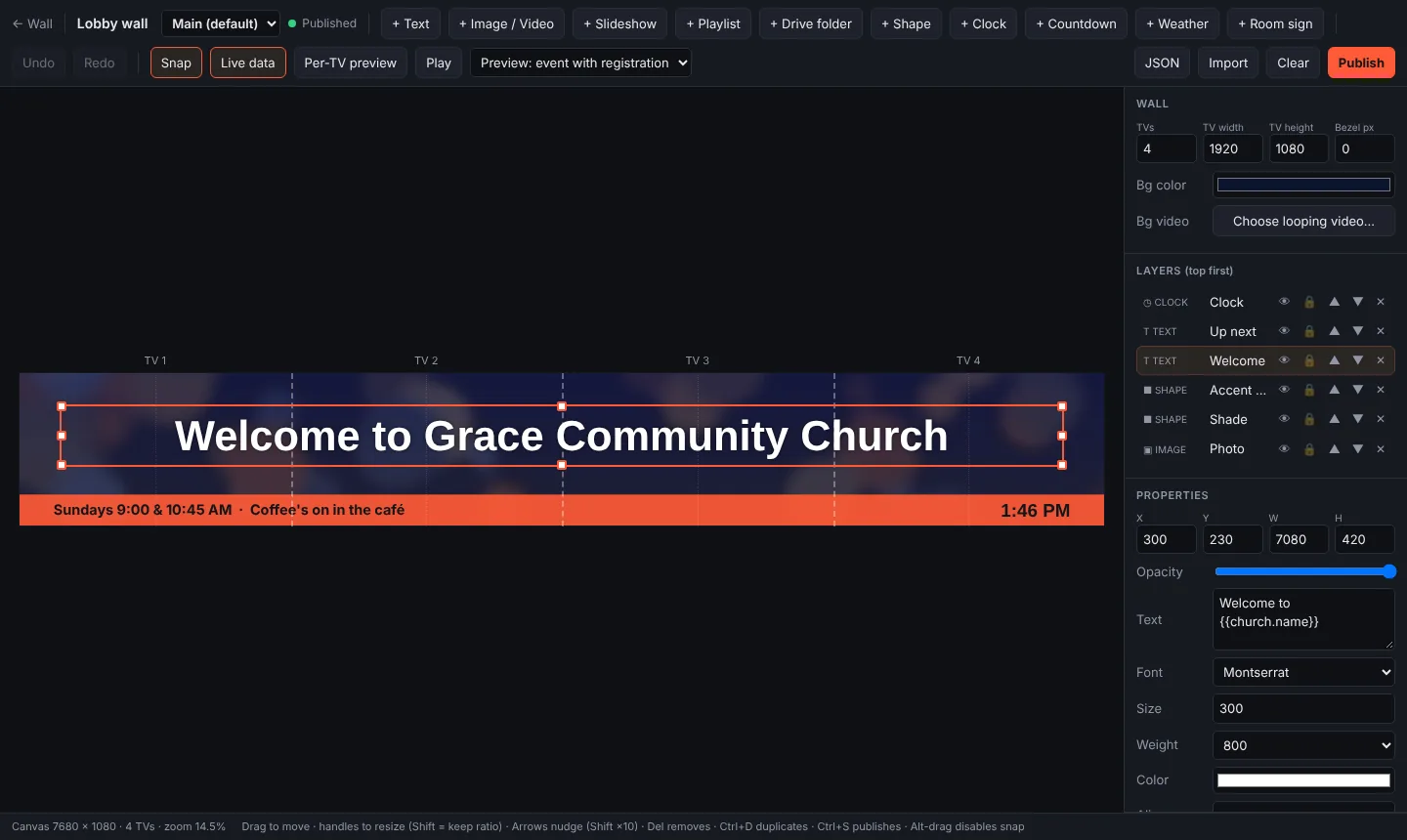
Hang two, three or eight TVs side by side and use them as one big picture. LobbyLoop lets you design the whole wall as one canvas, and each TV shows exactly its part.

How it works
- Design one canvas. Drag in text, photos, playlists, video, clocks and weather across the whole wall. Snap guides line things up across the TVs.
- Bezels included. You enter the width of the frame around each TV, and LobbyLoop accounts for it, so lines and text stay straight across the gaps.
- Each TV gets its slice. A Raspberry Pi behind each TV shows only its part, and the per-TV preview shows exactly what each screen will get.
- Everything stays in sync. Slideshows, video and countdowns move together across the wall, and Publish updates every TV within about a second.
LED walls
If your church has an LED wall, create a wall at your LED processor's exact pixel size. The player outputs it pixel for pixel where the processor expects it.
What you need
- Two to eight matching TVs mounted side by side.
- A Raspberry Pi 4 or 5 behind each TV, or one computer with Chrome per TV.
- Internet for each player.
Questions
How many TVs can be in one wall?
Two to eight TVs side by side, designed as one canvas.
Do I need a video wall controller?
No. Each TV has its own small player, and LobbyLoop gives each one its slice of the design and keeps them in sync.
Do the TVs have to match?
Use the same model for every TV in a wall. You enter one TV size and bezel width for the wall, and LobbyLoop lines the picture up across them.
Does it work with an LED wall?
Yes. Create the wall at your LED processor's exact pixel size, and the player outputs it pixel for pixel.
Try LobbyLoop at your churchFree during the beta. No card needed.
Request beta access